 ScenorivaOpen workspace
 A WORKSPACE FOR MAKING STORIES
Your story.
Your models.
Your final cut.
Take an idea through characters, storyboards and video. Choose the models. Review the results. Keep the creative decisions yours.
Bring your API keys. Site access code required for hosted generation.
A cloud meets a sun.
They disagree about
the perfect day.
A little shade would be nice.SUN
But look how everything grows.
Workflow illustration. These are not AI-generated results.
Choose by stage.
Keep what works.
Spend with intention.
THE WORK BETWEEN GENERATIONS
Good scenes need
more than
a good prompt.
The character reference. The right starting frame. The clip you want to keep. Scenoriva brings those decisions into the same project.
Explore the Studio- 01
Give the story a shape.
Start with an idea. Review the characters, scenes and prompts before generating your visuals.
- 02
Build a world worth keeping.
Create character sheets and storyboards. Reuse saved references and crop your starting frames locally.
- 03
Choose how each scene moves.
Use a supported video API, stock footage, your own clip or local still-image animation. Reference-capable adapters attach the saved starting image.
- 04
Make the final cut here.
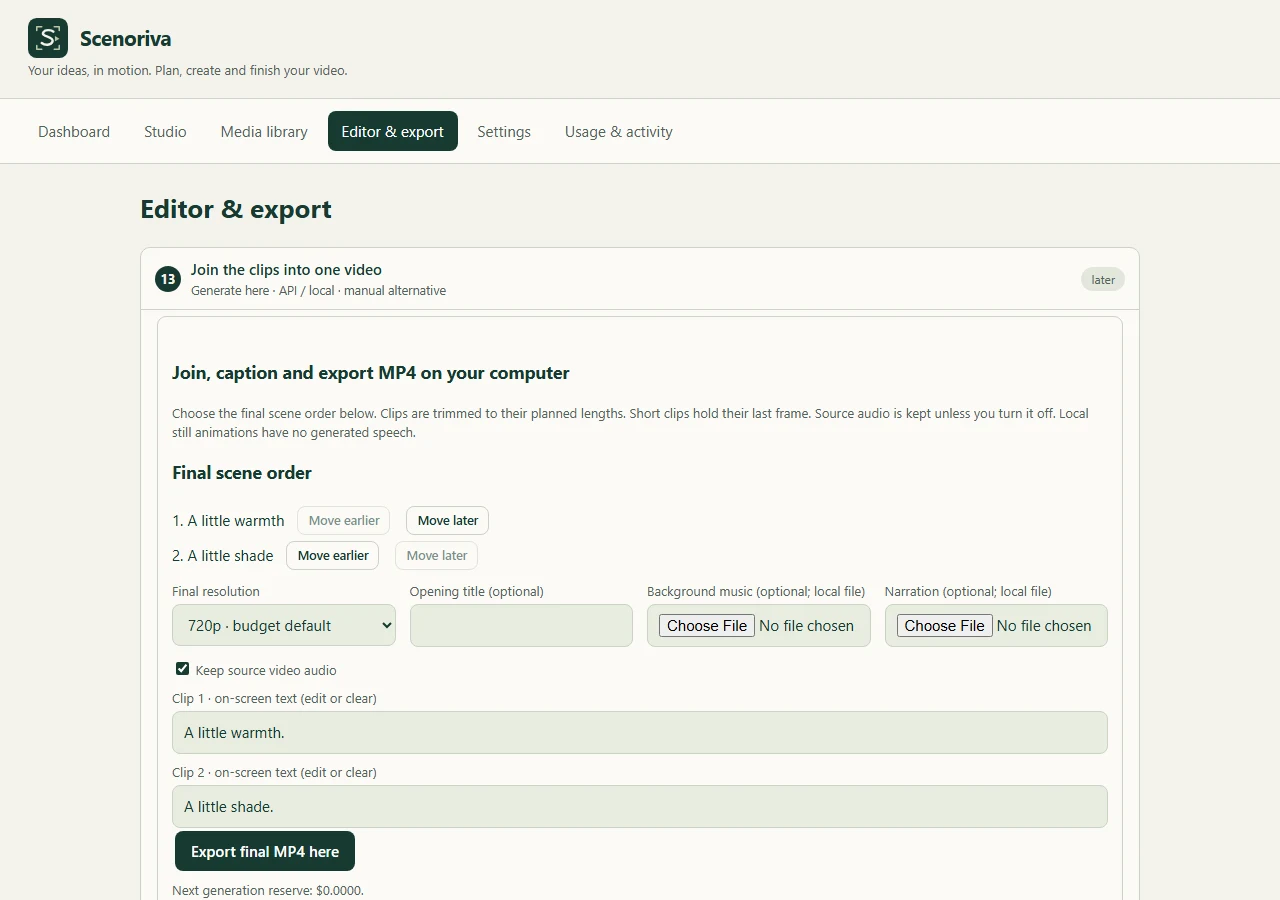
Arrange clips, edit on-screen text, add your audio and export MP4 in your browser. Local finishing avoids a separate cloud-rendering charge.
INSIDE THE WORKSPACE
The whole project,
in view.
Separate spaces for creating, managing media and finishing. Your scene order and captions stay with the project.
YOUR PROVIDERS. A MORE CONNECTED PROCESS.
Keep the model.
Lose some of the busywork.
Scenoriva is the workspace around your AI services. It doesn’t replace their models, accounts or billing.
| The work | Using services separately | With Scenoriva |
|---|---|---|
| Choosing models | Choose inside each service. | Choose story, image and video models by stage. |
| Passing references | Move files and prompts between tools. | Reuse saved images and prompts in supported steps. |
| Watching costs | Track each provider’s charges. | Keep a project estimate and request history alongside the work. |
| Finishing | Move into an editor of your choice. | Join clips, add text and export locally. |
| Provider fees | Paid to your chosen services. | Still paid to your chosen services. No automatic discount. |
Cloudflare / Gemini / WaveSpeed / OFox / Pexels
Accounts, model capabilities, allowances and provider terms apply. Availability is not guaranteed.MAKE THE BUDGET A CREATIVE CHOICE
Not every scene
needs a paid
AI video.
Save paid motion for the moments that need it. Use stock, imported clips or local still animation for the rest. Crop frames and finish locally.
Still animation adds camera movement to a picture. It does not produce the same motion, speech or detail as an AI video model.
What if only a few scenes need AI?
$1.60 less in this example.
Editable example rates, not live quotes. Assumes 12 images and no charge for the other clips. Excludes text generation, input media, retries, storage, fees and tax. Free allowances may lower actual charges. Provider invoices determine the real cost.
BEFORE YOU START
A few things
worth knowing.
Is this another video generation model?
No. Scenoriva connects supported story, image and video providers with planning, references, media management and local editing. The selected provider generates the AI output.
Will it always make my videos cheaper?
No. It gives you ways to avoid unnecessary paid generations and cloud rendering. Savings depend on your models, image and video settings, retries and the mix of AI versus local or imported material. A whole video made with a premium API can still be expensive.
Do I need API keys or a subscription?
Bring the keys for the services you choose. Some connections can use keys configured by the site owner. Cloudflare has an account-dependent free allowance; other providers may require credits or billing. The hosted generation routes also require the site access code. This page does not sell an all-inclusive generation subscription.
Can I change models between scenes?
Yes. Set defaults for each stage, then override supported models on individual steps. Capabilities vary: some adapters accept a starting image, while others support only text-to-video.
Are my projects stored in the cloud?
Project state and cached media primarily live in your browser. Generation sends prompts and required media to the selected provider, and temporary references may use Cloudflare R2. Export project backups and download your videos. Browser data can be cleared or evicted.
Can I finish on my phone?
The workspace adapts to phone and tablet layouts. Local MP4 export still depends on browser codec support and device memory; a desktop is the safer choice for longer exports. Physical Safari/iPhone verification is still outstanding.
FROM A SMALL IDEA TO A FINISHED SCENE
Make something
only you would make.
Open your workspace Your models. Your choices. One project.